Getting a great t-shirt graphic used to mean hiring a designer, spending hours on revisions, and hoping the final result matched your vision. Today, that process looks very different — and Nano Banana Pro is at the center of that change. Kimg AI gives anyone the ability to create print-ready, high-resolution graphics from scratch, no design background required.
I. Why Custom T-Shirt Graphics Are Worth Getting Right
A graphic tee is one of the most personal things you can wear. It communicates identity, humor, values, or aesthetics — sometimes all at once. Getting the artwork right matters more than most people realize.
- Print quality starts with the source file. Low-resolution art looks blurry on fabric. Designs destined for print need to be sharp, clean, and sized correctly from the beginning.
- Originality sets your merch apart. Stock icons and generic clipart are everywhere. A truly custom graphic — one built around your concept — carries a different weight.
- Consistency matters if you’re building a brand. Whether it’s a small merch run for a band, a sports team, or a personal label, keeping a cohesive visual style across pieces is what separates hobbyist work from something that looks intentional.
II. What Kimg AI Actually Does
Kimg AI is an AI image generator and editor that supports text-to-image creation, style transfer, resolution enhancement, background removal, inpainting, outpainting, and multi-image fusion. It runs several models — each suited to different use cases.
- Nano Banana Pro is the flagship model, built for photorealistic, high-fidelity output up to 4K resolution. It handles complex prompts with precision and produces fine micro-details like fabric texture and lighting effects.
- Nano Banana 2 supports batch generation of up to four images per request, with selectable output resolutions (1K, 2K, 4K), which is practical when exploring multiple graphic concepts at once.
- Flux is built for context-aware editing — useful for modifying a specific element of a graphic, like swapping a background color or repositioning text, without touching the rest of the composition.
- Seedream prioritizes speed, making it a good option for rapid concept testing before committing to a high-resolution render.
III. Generating T-Shirt Graphics Step by Step
The workflow on Kimg AI is straightforward. No installation required — everything runs in the browser.
- Start with a Prompt or a Reference Image
Head to Nano Banana Pro AI and either type a description of the graphic you want or upload an existing image as a reference. The more specific the prompt, the better — include style cues (e.g., “vintage woodcut style,” “bold street art,” “minimal line drawing”), color preferences, and subject matter.
- Choose the Right Model
- For a photorealistic print or intricate illustration, Nano Banana Pro is the right choice — it renders individual details like hair strands, fabric weaves, and fine linework.
- For fast ideation across multiple directions, Seedream gets you multiple concepts quickly.
- For refining an existing design — say, adjusting the composition or removing a background — Flux handles targeted edits cleanly.
- Use Multiple Reference Images for Consistency
Kimg AI supports up to four reference images in a single generation. This is particularly useful when designing a merch line — upload your brand colors, a logo, and a style reference to keep everything visually coherent across different pieces.
- Export at Print-Ready Resolution
Once the graphic looks right, export at 4K resolution. At that output size, the image holds up across standard t-shirt print sizes without any visible loss in detail. All generated content on Kimg AI comes with full commercial usage rights, so the artwork can go straight to a print-on-demand service or manufacturer.
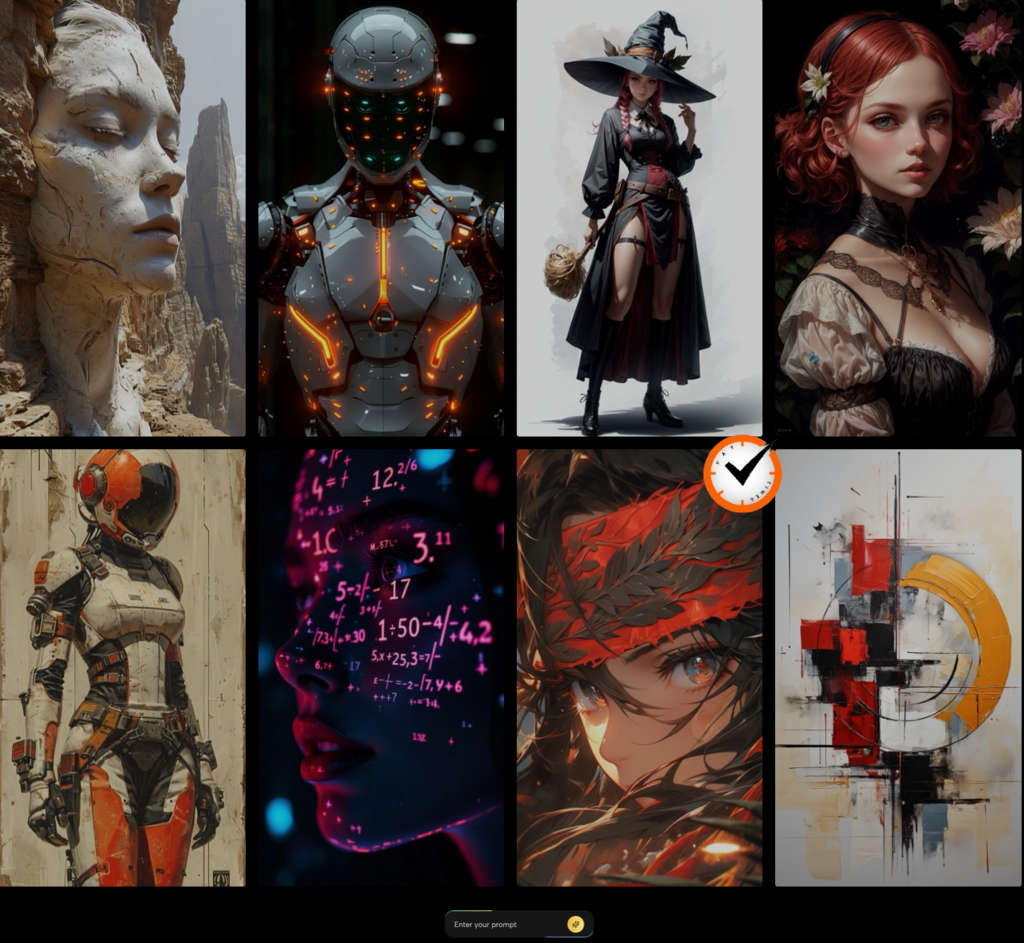
IV. Practical Prompt Tips for Better T-Shirt Graphics
The difference between a generic AI output and something genuinely wearable often comes down to how the prompt is written.
- Specify the format. Add phrases like “isolated on white background,” “transparent background,” or “centered composition” so the graphic is easy to drop into a print template.
- Describe the visual style clearly. “Bold graphic illustration with thick outlines and flat colors” produces very different results from “detailed photorealistic portrait.” Be explicit.
- Include negative guidance. If the model supports it, describe what you don’t want — “no gradients,” “no photographic backgrounds,” “no text” — to avoid unwanted elements in the final image.
- Iterate in rounds. Generate a batch of four variations with Nano Banana 2, pick the strongest concept, then refine it with a more targeted prompt in Nano Banana Pro for the final 4K output.
V. Style Directions That Work Well on Fabric
Not every image makes a great print. Some visual styles translate to fabric much better than others.
- High-contrast graphics with strong outlines and limited color palettes print cleanly on most fabric types. Complex gradients can muddy on darker garments.
- Vintage and retro illustration styles — think old-school band tees, tattoo flash art, or distressed ink looks — are consistently popular and age well as graphics.
- Typographic art pairs well with simple, bold imagery. Kimg AI‘s Flux model can render text within images accurately, which helps when the graphic includes a phrase or wordmark.
- Abstract patterns and repeat motifs work for all-over print designs, where the artwork tiles across the entire shirt rather than sitting in a single placement.
VI. From Personal Wear to Merch Line
There’s a practical path from making one custom tee to running a small merch operation, and Kimg AI supports both ends of that spectrum.
- For personal use, the free tier is enough to experiment with different graphic directions and land on something worth printing.
- For small-batch merch, the ability to generate multiple variations quickly — and export them at 4K with commercial rights — means the turnaround from concept to print-ready file is measured in hours, not weeks.
- For ongoing brand work, the multi-reference image feature keeps visual identity consistent across drops. A capsule collection of five or six tees can share the same color language and style treatment without requiring a designer to manually enforce it.
- No watermarks, no licensing restrictions. Everything created on Kimg AI is yours to use however the project requires.
VII. Bringing It All Together
Custom t-shirt graphics sit at the intersection of personal expression and practical craft. The artwork needs to look good, print well, and hold up over time. Kimg AI — and specifically Nano Banana Pro — closes the gap between a rough idea and a file that’s ready to hand off to a printer.
The tools are accessible, the output quality is genuinely high, and the commercial rights are clear. Whether the goal is a single one-off piece or the foundation of a merchandise line, Kimg AI gives creators the means to make it happen without outsourcing the creative work.