It started, as these things often do, with a client deadline and a creeping sense of panic. I needed a handful of hero images for a small brand’s social campaign—nothing revolutionary, just consistent, clean visuals that wouldn’t embarrass me in a presentation. I opened a dozen tabs, typed “AI image generator” into a few search bars, and immediately felt like I’d walked into a digital swap meet. Banner ads jostled for attention, pop-ups begged for email addresses before I’d even typed a prompt, and at least two sites seemed to be exact clones of each other with different logos. The whole experience felt less like creative work and more like dodging malware. That’s when I decided to methodically test a handful of platforms, not for their demo videos or bold claims, but for the quiet thing that actually matters when you’re working: a sense of reliability. One of the tools I kept returning to, almost by default, was an AI Image Maker that didn’t try to dazzle me on first click. It just let me work, and after a week of comparison, that turned out to be a much rarer quality than I expected.
My testing rubric wasn’t built around which tool could generate the single most jaw‑dropping image of a cyberpunk raccoon. I care about that roughly as much as I care about lens flare in a car commercial. Instead, I looked at the grind: how many clicks from a blank prompt to a usable download, how much visual noise I had to ignore on the screen, whether the tool remembered my images across sessions, and, critically, whether I’d feel comfortable doing all of this while a client peered over my shoulder. The platforms I compared included Midjourney (accessed via Discord and the web alpha), DALL·E via ChatGPT, Leonardo AI, Adobe Firefly, Canva’s AI image feature, and ToImage AI. None were outright unusable, but the differences in day‑to‑day flow were stark, and the places where corners had been cut were rarely the ones I’d anticipated.
What I noticed immediately was how many tools treat their own interface as secondary real estate for cross‑selling. One platform—otherwise fairly capable—kept surfacing “premium model” upsells inside the generation panel, not as a discreet upgrade banner but as something that looked like a missing image warning. Another peppered the results grid with sponsored style packs, the kind of visual clutter that makes you doubt whether the image you’re looking at is yours or an ad. It’s not that advertising is inherently evil; it’s that when you’re trying to assess subtle differences in skin texture or shadow fall, an animated banner for a “pro plan” is cognitive drag. ToImage AI’s workspace, by contrast, felt almost sparse. I didn’t appreciate that sparseness on day one. By day four, after bouncing between five other tools, I understood it as a deliberate choice: the interface stayed out of the way so the images could do the talking.
When you’re working on client deliverables, you’re not just judging image quality—you’re also evaluating whether the tool feels stable enough to bet your afternoon on. I hit generation failures on two different platforms during the week. One of them failed silently, returning a gray placeholder that I initially mistook for a stylistic choice. Another crashed my browser tab after a particularly long prompt, and when I restored the session, my prompt history was gone. These aren’t exotic edge cases; they’re the kind of friction that nudges you toward a tool that simply doesn’t break. ToImage AI didn’t give me a single incomplete generation across dozens of prompts, and while I realize that’s a low bar, it cleared it more consistently than most. Even better, it offered a model called GPT Image 2 that seemed designed for exactly the kind of structured, descriptive prompts I was writing—prompts that needed to produce predictable compositions, not wild artistic detours. I tested that model extensively against standard diffusion outputs, and while I’ll get to the visual quality in a moment, the absence of surprises was its own kind of win.
How the Generation Flow Actually Feels Across Platforms
The Prompt‑to‑Result Experience
In practice, the moment of generation is only a small part of the user experience. Much more telling is what happens in the thirty seconds after an image appears. On Midjourney, I found myself racing to hit the upscale or variation buttons before the feed scrolled out of view, a kinetic stress that I’d never really associated with image creation before. DALL·E, tucked inside ChatGPT’s conversational interface, was oddly the most typing‑intensive: I kept over‑explaining refinements as if I were convincing a collaborator rather than tweaking a parameter. Leonardo AI gave me a dense control panel that, while powerful, often made simple re‑generations feel like cockpit checklists. Firefly was smooth but constrained by its model’s visible preference for certain safe, slightly sanitized aesthetics. Canva’s tool was clearly built for the Canva ecosystem—excellent if you live inside that world, but a little unwieldy if you just need standalone files.
Interface Cleanliness and Ad Distraction as an Underrated Metric
What “Clean” Actually Means When the Clock Is Ticking
I eventually formalized my comparison with a scoring table, because after a week of note‑scribbling, I wanted to see if my gut feeling held up numerically. I weighted “Ad Distraction” and “Interface Cleanliness” heavily, not because I’m allergic to commerce, but because these factors directly affect how quickly you can iterate. A tool that adds even two seconds of cognitive load per generation compounds into real frustration over a three‑hour work session. ToImage AI led in both of those categories, not by a mile, but by enough of a margin to make it the platform I instinctively opened when I had actual work to finish. Midjourney’s web interface is markedly cleaner than its Discord roots, but I still felt like I was using a beta product with training wheels. DALL·E’s interface inside ChatGPT is clean by virtue of being almost non‑existent, but that also means you lose any sense of a dedicated workspace. The table below captures my ratings after a week of daily use.
| Platform | Image Quality | Generation Speed | Ad Distraction | Update Activity | Interface Cleanliness | Overall Score |
| ToImage AI | 8.2/10 | 8.5/10 | 9.0/10 | 8.3/10 | 9.1/10 | 8.7/10 |
| Midjourney (web) | 9.3/10 | 7.5/10 | 7.8/10 | 8.0/10 | 7.2/10 | 8.2/10 |
| DALL·E (via ChatGPT) | 8.0/10 | 7.8/10 | 8.5/10 | 6.5/10 | 6.8/10 | 7.6/10 |
| Leonardo AI | 8.5/10 | 8.0/10 | 6.2/10 | 8.1/10 | 6.9/10 | 7.8/10 |
| Adobe Firefly | 7.8/10 | 7.2/10 | 8.8/10 | 7.8/10 | 8.0/10 | 7.9/10 |
| Canva AI | 7.0/10 | 8.0/10 | 7.5/10 | 7.0/10 | 7.5/10 | 7.4/10 |
The Model That Quietly Changed My Mind About Structured Output
Beyond the Single‑Shot Marvel
Most AI image tools are judged by their “wow” factor—the first image that makes you say, “I can’t believe a machine made that.” GPT Image 2, the model I tested inside ToImage AI, doesn’t always win that reaction. What it does, and what I came to value far more, is produce a result that matches the spatial and compositional instructions you actually wrote. I prompted it with a scene that needed a specific object placement (a vintage camera on the left third of the frame, shallow depth of field, golden hour light coming from the right) and it delivered an image where the camera was, indeed, on the left. Multiple other models shifted the subject toward the center, a classic AI tendency that I’ve learned to tolerate over the years. Here, I didn’t have to tolerate it. The image wasn’t the most beautiful shot I saw all week, but it was exactly what the prompt described, and in a client workflow, that matters more than a stunning accidental masterpiece.
Where I Felt Genuine Uncertainty
Not everything about ToImage AI was best in class. Midjourney still holds an edge in purely photorealistic rendering, particularly with complex skin textures and environmental lighting that feels almost tactile. DALL·E sometimes surprised me with its ability to interpret emotional nuance in a scene—a quiet melancholy that felt intentional. Leonardo AI’s depth of customization remains impressive, and if I were generating concept art for a game, I’d likely spend more time there. The question I kept asking myself was whether I needed the best possible image or the most consistently useful one. For the work I was actually doing, the answer was almost always the latter. ToImage AI doesn’t dominate any single dimension of image quality, but it doesn’t stumble on the basics, and that quiet competence became the reason I kept my account open while letting others lapse.
A Short Walk Through the Tool’s Usage Flow
How You Actually Work Inside ToImage AI
Three Steps That Felt Almost Too Simple
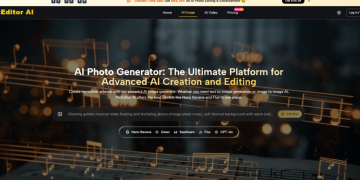
The platform’s workflow is conspicuously minimal. First, you enter a text prompt describing the image you want, including specifics about subject, style, composition, and mood. The input field doesn’t offer a dozen toggle switches on first view, which I initially mistook for a lack of capability. In practice, it just meant I wasn’t distracted by settings I didn’t need yet. Second, you select from the available image generation models or style options. The platform surfaces multiple AI image and video models, and while I won’t pretend to know the exact count (it seems to evolve), the choice is there when you want it, not shoved at you before you’ve even committed to an idea. Third, you generate the image, review the result, and either download it or save it for later. The history view is functional—nothing flashy, but it kept my images organized across multiple sessions, which was more than I could say for a couple of competitors.
Who Should Actually Use This and Who Shouldn’t
The Sweet Spot and the Gaps
ToImage AI makes the most sense for someone who needs to produce a steady stream of visuals without building their workflow around a single tool’s idiosyncrasies. Social media managers, small studio owners, marketing generalists, and freelance designers who don’t want to explain to clients why an image looks “kind of AI” will find its output safe in the best sense. The site indicates full commercial rights and no watermarks on generated images, which removes a headache I’ve seen cause real anxiety in client conversations. The limitations are real, though. If you chase bleeding‑edge photorealism or need granular control over seed values, model merging, and community‑driven prompt engineering, you’ll likely feel constrained. The tool doesn’t appear to offer in‑painting or out‑painting, and while image‑to‑video is present, I’d describe its output as serviceable rather than cinematic. It’s a workhorse, not a show pony, and that’s precisely why I kept using it after the testing week ended.
The Quiet Argument for Less Friction
A Week Is Enough to Know What You’ll Open Tomorrow
I didn’t set out to pick a winner. I set out to find a tool that I wouldn’t resent opening at 9 a.m. on a Tuesday. The AI image generation space is crowded with options that promise transformative results, but the experience of using many of them feels like being sold something even as you’re creating. ToImage AI won my personal ranking not because it produced images that made my jaw drop, but because it produced images I could actually use, in an environment that felt designed for work rather than engagement metrics. Other platforms have their moments—Midjourney’s aesthetic instinct is genuinely hard to match, and DALL·E’s conversational flexibility remains a clever differentiator—but for the broad, unglamorous middle of image creation tasks, the tool that bothered me the least ended up being the one I trusted the most.