Installing a video doorbell can improve your home’s security and convenience by allowing you to remotely watch guests. For first-time users, the procedure may appear difficult, but with the appropriate assistance, it is simple. Video doorbells provide capabilities such as HD video resolution, motion detection, and two-way audio. Whether you pick a wired or wireless device, be sure your home is ready for installation. In this article, we’ll go over everything from selecting the correct video doorbell to step-by-step installation instructions to help you get it set up quickly.
How to Choose the Right Video Doorbell for Your Home?
Understanding Video Quality and Features
Video quality is an important factor to take into account when selecting a video doorbell. The majority of devices have HD or 1080p resolution; however, some more expensive versions have 4K resolution for crisper, more detailed pictures. To catch more of the area surrounding your entrance, look for a doorbell with a wide-angle lens and great night vision. Additionally, look for crucial features like motion detection, two-way audio, and customisable alarms. By enabling you to interact with guests and get alerts about activities near your front door, these features will enhance your entire experience and boost security.
Wired vs. Wireless Options
There are certain benefits to both wired and wireless video doorbells. Wired versions are minimal maintenance since they offer a steady, reliable power source without requiring battery changes. They often provide more dependable performance in terms of sound and visual quality. However, because they must be connected to the electrical system in your house, they must be installed by professionals. For renters or do-it-yourselfers, wireless versions are perfect since they are simpler to install. Although you will need to keep an eye on the battery life to ensure continued functioning, these gadgets, which rely on rechargeable batteries or Wi-Fi connections, provide more flexibility.
Smart Home Integration and Compatibility
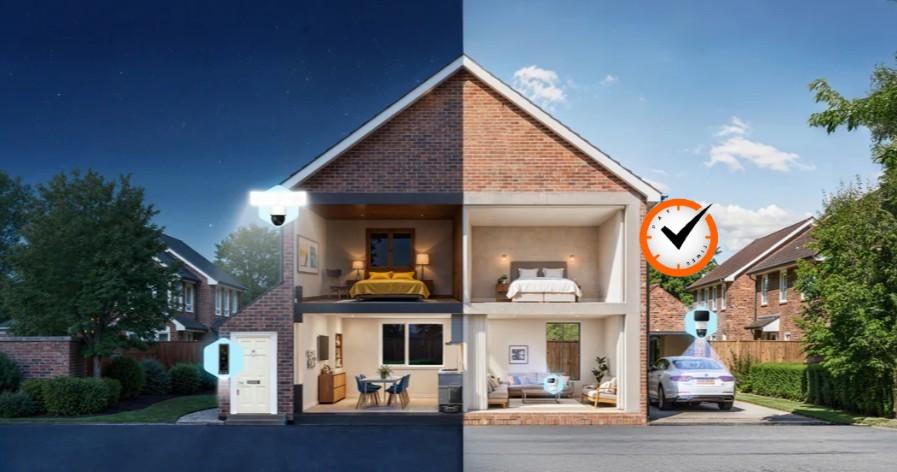
Selecting a video doorbell that works well with your gadgets is crucial if you have a smart home setup. Check for compatibility with well-known smart assistants such as Apple HomeKit, Google Assistant, and Amazon Alexa. With this connection, you can see live video feeds on smart displays and use voice commands to operate the doorbell. Make sure the doorbell works with your current security systems as well. A unified security system that notifies you of activity and lets you control everything from a single app is made possible by the ability of several models to link to home security hubs.
Preparing for Video Doorbell Installation
Assessing Your Doorway and Power Source
Before installing your video doorbell, consider the spot where you intend to attach it. Ensure that the entryway is well-lit, as low lighting might degrade the camera’s effectiveness. The doorbell should be installed at a height that provides for clear vision of guests and packages, usually four to five feet above the ground. If you’re installing a wired model, make sure you have access to a nearby power source, such as a doorbell wiring system or an electrical outlet. For wireless models, choose a suitable place near a Wi-Fi router to maximize signal strength.
Tools and Materials You’ll Need
Having the proper equipment and materials is critical for a seamless installation process. Wired versions will require a screwdriver, wire remover, drill, screws, and a voltage tester. A level is also required to guarantee that the doorbell is installed straight. Wireless variants usually require a screwdriver and a mounting bracket. If your signal is poor, you may also require a Wi-Fi booster or extension. Most video doorbells have a mounting kit, but make sure you double-check the directions for any extra equipment or materials required for installation.
Ensuring Proper Wi-Fi Signal and Connectivity
For wireless video doorbells, a strong and steady Wi-Fi connection is critical for smooth functioning. Weak signals might delay messages or cause video stream disruptions. Before installation, use a smartphone or Wi-Fi analyzer to determine the strength of your Wi-Fi signal at your front door. If the signal is poor, move your router closer to the door or use a Wi-Fi extender to improve coverage. Keep in mind that the video doorbell will use your Wi-Fi network to broadcast live video, so make sure your connection is dependable for best results.
Step-by-Step Video Doorbell Installation Process
Mounting the Video Doorbell
Begin by mounting the video doorbell in the desired place, ensuring that it is at the appropriate height for maximum visibility. Begin by marking the screw holes on the wall using the provided template to ensure they are level. Drill pilot holes for the screws and insert anchors as needed. Use the included screws to attach the mounting bracket to the wall. Before installing the doorbell, make sure the mounting plate is properly secured to the electrical system. For wireless variants, you may install the doorbell directly to the bracket, making sure it is securely fastened to avoid being knocked free.
Connecting Power and Wiring
Before you begin installing wired video doorbells, switch off the power to your current doorbell wiring. Remove the old doorbell and attach the wires to the terminals on your new device, which are normally labeled “positive” and “negative.” Using a screwdriver, tighten the cables and ensure there are no weak connections. If your doorbell has additional wiring for chimes, ensure these are also connected. When the wiring is finished, switch the power back on and ensure that the doorbell works. For wireless versions, first insert the batteries or connect it to the charging station before connecting to your Wi-Fi network.
Testing and Adjusting Camera Angles
Once the video doorbell is installed and switched on, test the camera to confirm it is working correctly. Check the camera feed to ensure that the doorbell has captured a clear image of the area in front of your door. Adjust the camera’s angle to capture the most crucial locations, such as the route leading up to your door and the area where parcels are frequently left. If your doorbell has motion detection, go around the area to confirm that it detects movement correctly. Make any required modifications to the camera’s angle or motion detection settings to improve its coverage and functionality.
Conclusion Installing a video doorbell may be a straightforward and rewarding task if you follow the right steps. You can ensure a successful installation by choosing the best gadget for your needs, prepping your entryway, and establishing a strong Wi-Fi connection. Once the doorbell has been installed and linked, test the functions, adjust the camera angle, and verify its operation to guarantee peak performance. Whether you choose a wired or wireless model, your doorbell camera will add convenience and security to your home, allowing you to monitor visitors and protect your property with ease.