How Image to Video AI Changes Creative Timing
When people talk about visual content, they often focus on quality, style, or realism, but timing is just as important. Many ideas lose momentum not because they are weak, but because turning them into motion takes too long. A still image may already contain mood, character, or product value, yet it often remains unfinished because the next step traditionally requires editing software, motion design knowledge, or extra production time. That is why Image to Video AI stands out. It shortens the distance between a static visual and a shareable video, making motion feel less like a separate profession and more like an accessible creative step.
This matters because the modern content cycle is fast. Social teams need assets quickly. Independent creators need drafts before an idea goes cold. Small brands need movement without building a full post-production workflow around every campaign. In my observation, tools like this become valuable not because they replace traditional video creation, but because they let users test motion early, before a concept becomes expensive or slow. A result may still need refinement, and prompt quality still matters, but the barrier to getting started is undeniably lower.
That shift changes more than convenience. It changes decision-making. Once motion becomes easy to test, creators start thinking differently from the beginning. Instead of asking whether a still image is enough, they begin asking how that image might move, what the camera should suggest, and whether a small animation could communicate more clearly than a fixed frame.
Why Motion Now Matters More Than Before
The digital environment has changed the way visuals compete for attention. A good image still matters, but motion increasingly shapes whether people stop, look, and stay long enough to understand what they are seeing.
Static Images Often Stop Too Soon
A still image can be elegant, but it asks the viewer to do more interpretive work. The viewer decides where to look, how long to remain, and what emotional sequence to imagine. Motion changes that. It creates guidance. It tells the eye where to go and how to experience the scene over time.
Short Movement Fits Current Platforms Better
Not every project needs a long narrative structure. In fact, many digital spaces reward compact visual moments rather than extended storytelling. A short animated product shot, a lightly moving portrait, or a simple visual transition can be enough to improve engagement and perceived polish.
Motion Adds Depth Without Rebuilding Everything
One of the practical strengths of image-based animation is that it builds on what already exists. Users do not need to design an entirely new asset from scratch. They can start with an image they already trust and give it a second layer of expression.
How The Official Workflow Stays Simple
The platform’s official process is one of the clearest reasons it feels approachable. The site lays out the workflow as a direct sequence rather than a complicated editing environment.
Step One Starts With Picture Upload
The first step is choosing and uploading a picture. The site says the platform supports JPEG and PNG formats, which keeps the starting point familiar for ordinary users working with common image files.
Step Two Adds A Prompt Description
Once the image is uploaded, the user writes a text description. This prompt tells the system what kind of movement, mood, or transformation should happen. Instead of drawing motion paths manually, the user directs the scene with language.
Step Three Waits For Processing
After submission, the task enters a processing stage. The official page describes this as a cloud-based step that typically takes around five minutes. This matters because it shows the product is designed to remove local rendering pressure from the user.
Step Four Reviews And Shares The Result
When the status is completed, the video is ready to check, download, and share. This keeps the workflow focused. The tool is not asking the user to enter a long finishing process after generation. It aims to move from idea to usable output with minimal friction.
What The Product Is Really Offering
It would be easy to describe this as just another AI generator, but that would miss the more interesting part. The platform is offering a way to reorganize creative work around accessibility and speed.
It Reduces Software Dependency
Many users are held back less by imagination than by tool complexity. Traditional video tools can be powerful, but they also demand time and confidence. A browser-based generation system lowers the psychological cost of experimenting.
It Makes Motion A First Draft Medium
In older workflows, motion usually arrived near the end. A concept began as text or still imagery, then moved toward video only if the budget and timeline allowed it. Here, motion becomes something that can appear much earlier. That changes how ideas are evaluated.
It Serves Multiple Entry Points
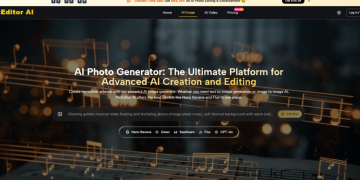
The site also presents image to video, text to video, text to image, and image to image options. That signals a broader creative environment rather than a single narrow function. Even if a user arrives for image-based animation, the platform is clearly designed to support several kinds of visual generation behavior.
A Multi Mode Structure Encourages Exploration
In practice, users often move between media types while shaping a concept. A broader creation surface makes those shifts easier. Someone might start with an image, test motion, then return to image generation for a cleaner source asset. That kind of fluidity can matter more than any one headline feature.
Why Guided Effects Matter To Real Users
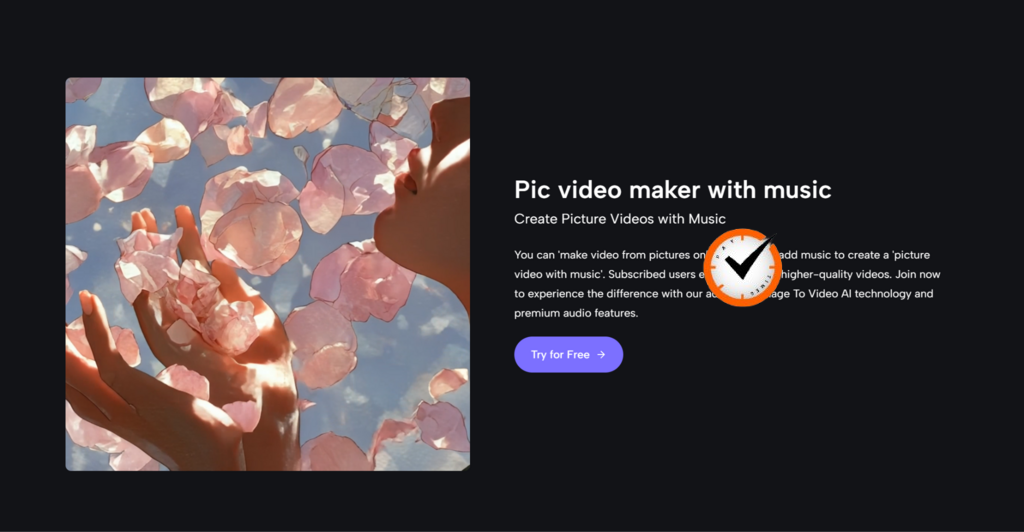
The homepage does not only show an open-ended generator. It also highlights recognizable effects such as hug, kiss, dance, fight, old photo animation, and other popular visual formats.
Templates Reflect Actual Demand
This is not a trivial design choice. Most users do not begin with an abstract desire to generate motion. They begin with a concrete outcome in mind. They want a romantic effect, a playful social clip, a dynamic transformation, or a revived memory.
Templates Lower Prompt Anxiety
One of the hardest parts of AI usage is knowing how to ask. A template gives the user a direction before they write anything. In my observation, this often improves the first experience because it narrows the creative task from endless possibility to a manageable choice.
Guided Starting Points Can Increase Usability
A blank box favors confident users. A guided interface supports ordinary ones. This matters for a platform that clearly aims to attract not only experienced creators but also casual users and small teams that need fast outcomes.
The Best First Result Is Often A Familiar One
People usually judge a tool by the clarity of the first output. If the platform helps them reach a recognizable result quickly, they are more likely to explore deeper controls later.
How Camera Motion Changes The Feel Of Output
The site also emphasizes camera controls such as pan, zoom, tilt, and rotation. That detail deserves more attention because motion quality is not only about making a subject move.
Camera Direction Creates Intent
A still image can feel cinematic when the apparent camera shifts with purpose. A slow zoom can create intimacy. A pan can reveal context. A tilt can introduce tension or vertical scale. These are small decisions, but they shape perception strongly.
Simple Movement Can Feel More Professional
In my testing of similar tools, subtle camera motion often does more for perceived quality than aggressive animation. Overly dramatic motion can make a result feel synthetic, while controlled movement keeps the original image readable and adds energy without overwhelming it.
Camera Controls Extend Creative Range
This matters for users working in different contexts. A marketer may want a clean product sweep. A creator may prefer a stylized emotional push-in. An educator may want motion that guides attention rather than distracts from information.
A Clear Table Of Practical Differences
| Practical Area | What The Platform Shows | Why It Matters In Use |
| Input method | Image upload with text prompt | Easy for non-editors to understand |
| File support | JPEG and PNG are supported | Fits common image workflows |
| Processing style | Cloud-based generation | Reduces local hardware demands |
| Workflow length | Four official steps | Makes experimentation faster |
| Motion control | Pan, zoom, tilt, rotation | Adds creative direction to results |
| Use-case design | Open generation and effect templates | Serves both guided and flexible creation |
Where This Tool Fits Best In Real Work
The platform becomes easier to understand when placed inside ordinary workflows rather than abstract AI discussion.
For Social Media Content
A still image can become a short moving asset for feed posts, story formats, and quick promotional clips. This is useful when content cadence matters and not every post deserves a full editing cycle.
For Product Presentation
Product photography is often sharp but static. Motion adds rhythm and direction. A small animation can make a product feel more alive, more premium, and easier to imagine in use.
For Personal Memory Projects
Old photos and sentimental visuals gain a different emotional tone when they move, even slightly. The platform’s attention to this use case makes sense because the effect is easy for ordinary users to understand immediately.
For Education And Explanation
Static diagrams and learning visuals can become easier to follow when motion guides the eye. In this context, the goal is not spectacle. It is sequencing. A gentle animation can make visual information easier to process.
Where The Limitations Still Matter
A restrained view is important because accessibility does not eliminate constraints.
Results Depend On The Source Image
A clear input image generally gives the system more to work with. Busy or low-quality images may produce weaker or less stable motion. This is common in generative workflows and worth acknowledging upfront.
Prompt Quality Still Shapes The Outcome
The tool lowers technical barriers, but it does not remove the need for direction. A vague request often leads to generic movement. Specific instructions usually help the result feel more intentional.
Iteration Remains Part Of The Process
Even with a short workflow, users should expect to try again sometimes. In my observation, this is not necessarily a flaw. It is part of learning how a system responds. The key advantage is that the attempt cycle is much shorter than in traditional production.
The First Output Is Often A Decision Tool
Sometimes the first result is not the final asset. It is evidence. It tells the user whether the idea works, what needs adjustment, and whether the concept deserves a second pass.

Why This Matters Beyond One Platform
The larger story is not only about a single tool. It is about how visual work is being reorganized. There is now a meaningful middle space between static design and full-scale video production, and image-to-video systems occupy that space well.
That middle space matters because it supports faster thinking. Brands can preview motion before expensive shoots. Creators can test emotional direction before editing longer pieces. Small teams can produce more dynamic content without multiplying software complexity.
In that sense, the platform is valuable not because it claims to do everything, but because it helps users do one important thing sooner. It gives motion to ideas at the stage where speed still shapes outcomes. For many workflows, that is not a small advantage. It is the reason an idea gets made at all.